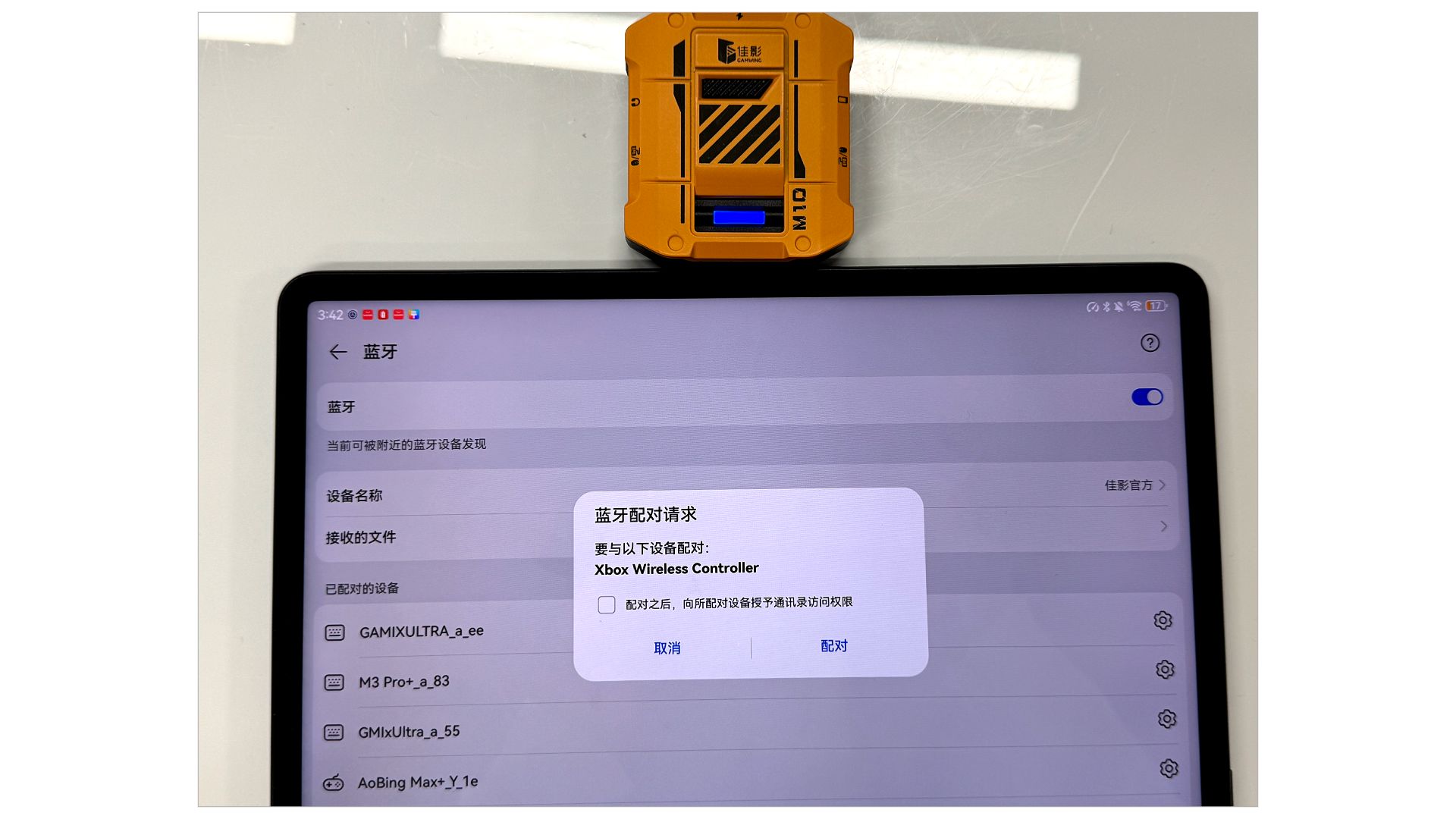
1.Power on
Connect the M10 to a power source using the interface shown in the diagram.
( A blinking blue light will indicate successful power connection.)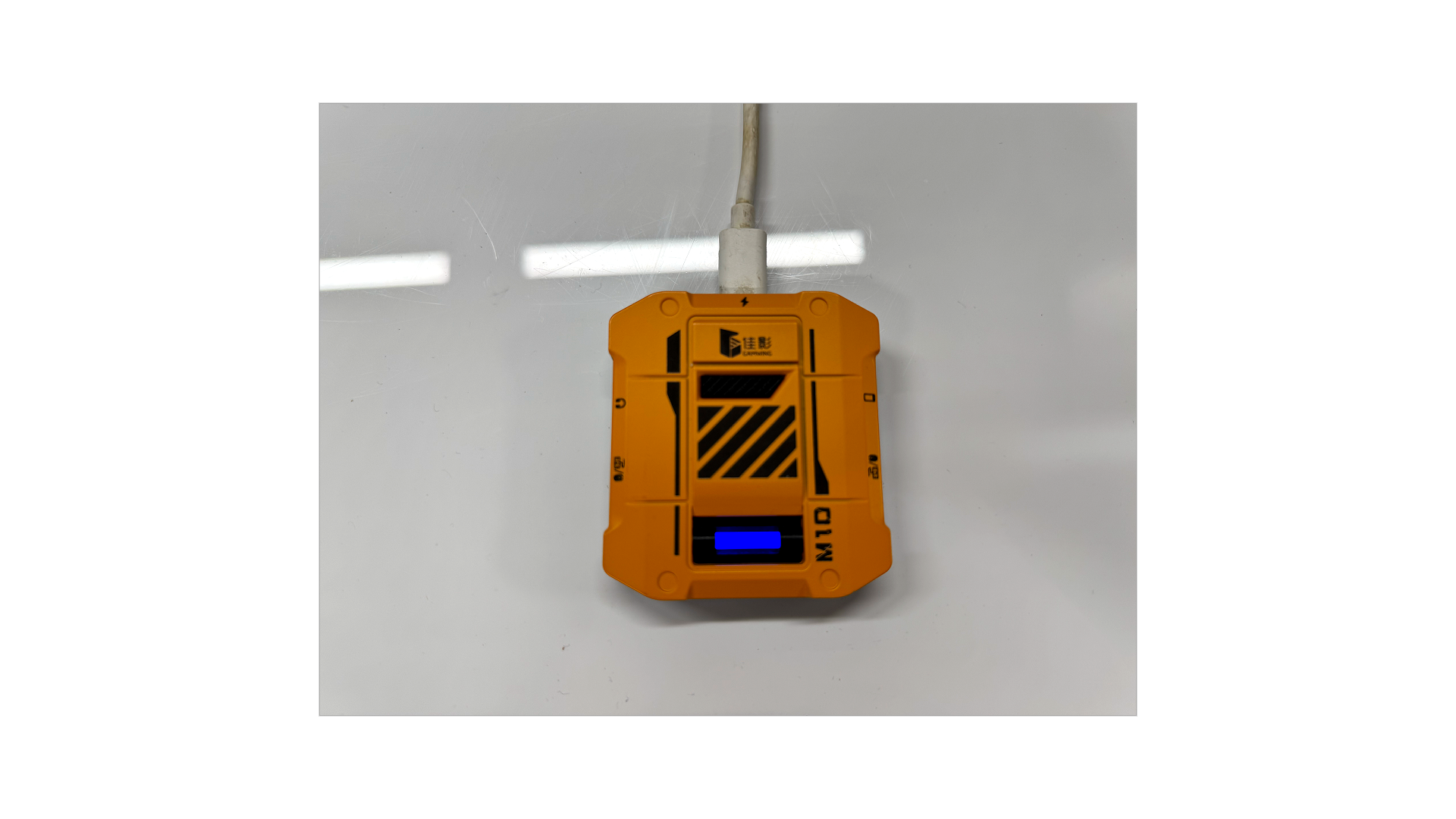
2.wired Mode
Use a C-to-C data cable to connect the device as shown in the diagram.
iOS: A solid purple light confirms successful connection.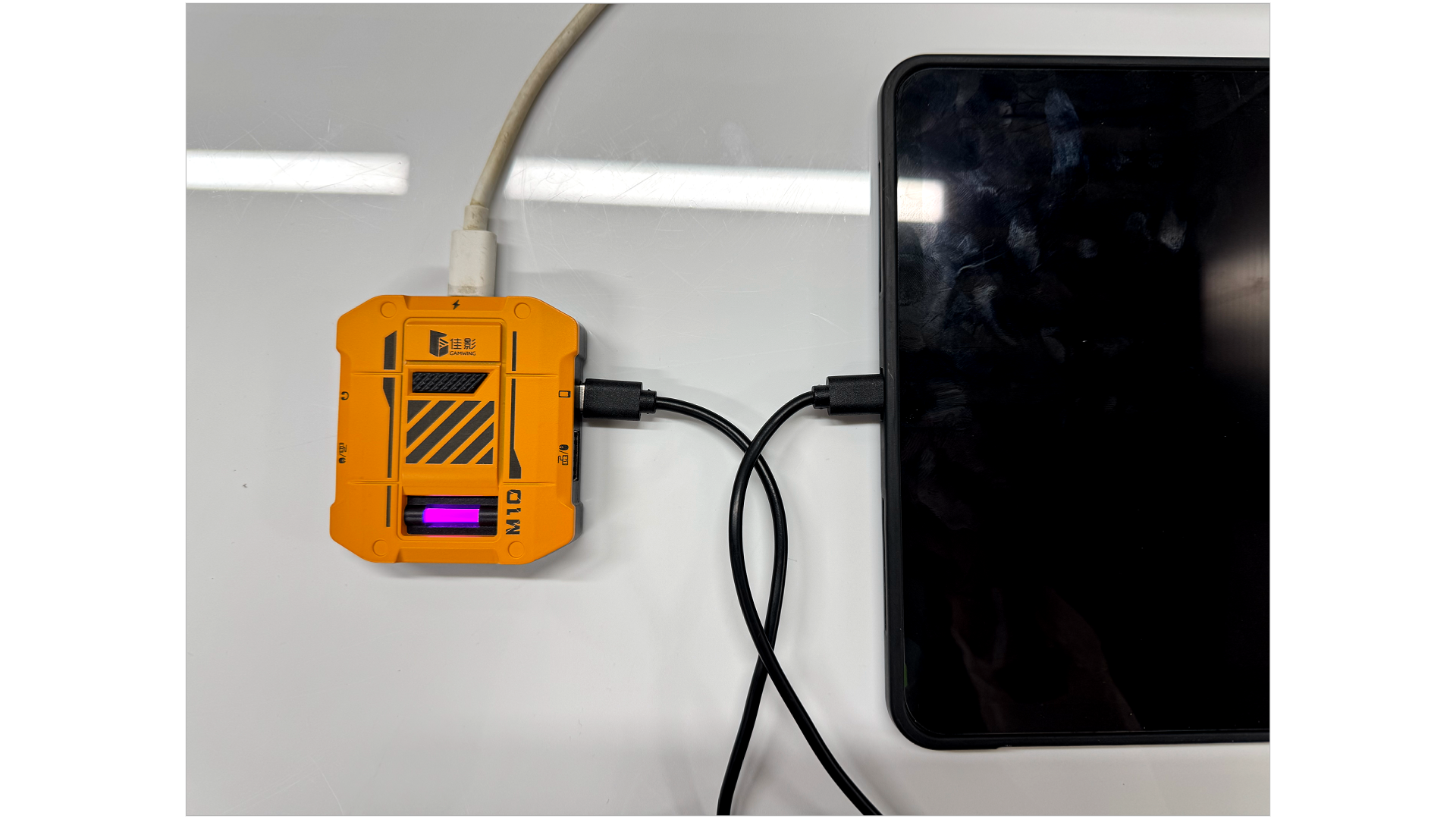
Android: A solid red light confirms successful connection.
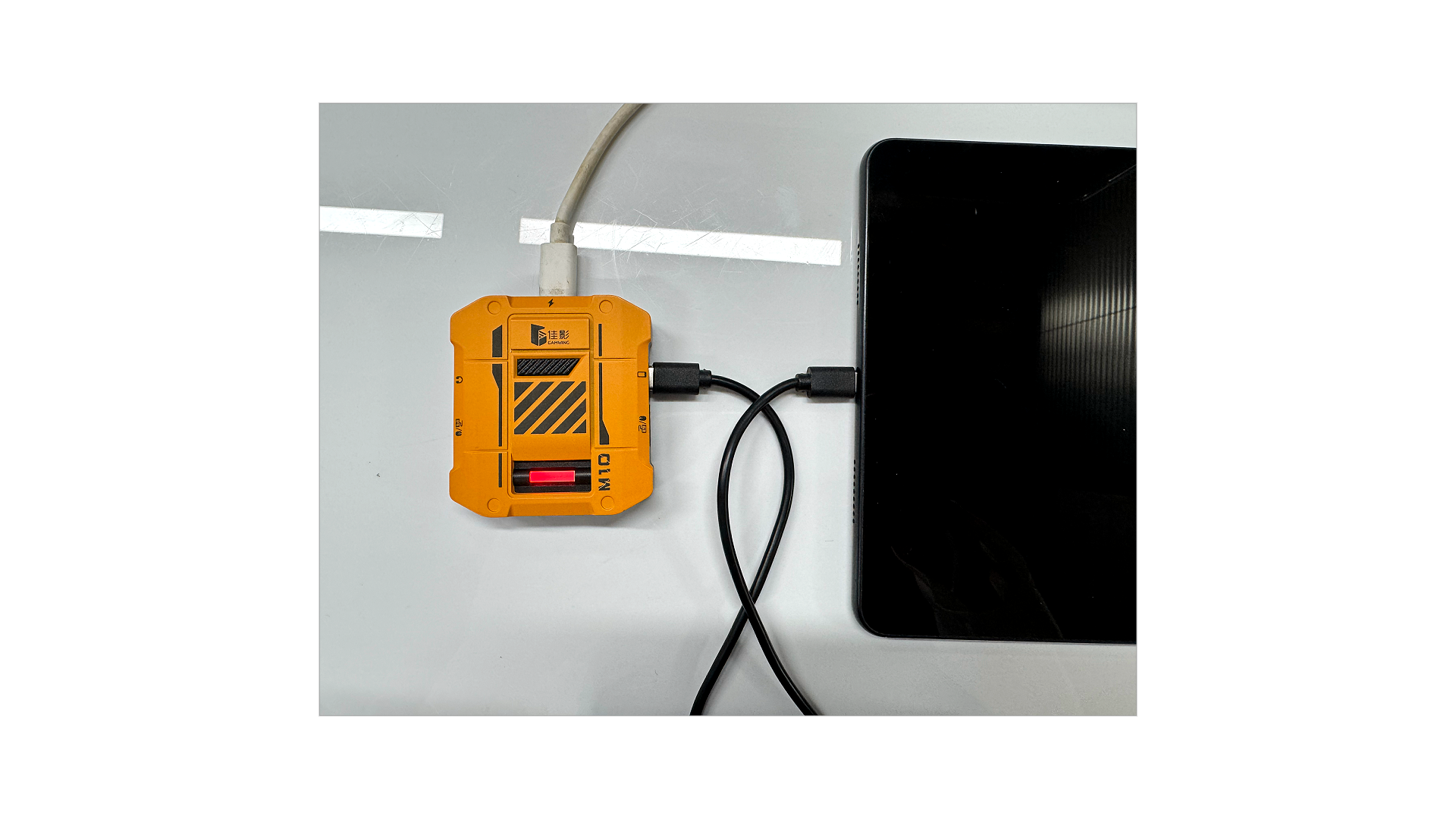 Note: If the connection fails, try replacing the data cable and attempt again.
3.Bluetooth Mode
Enable Bluetooth on your device and select "Xbox Wireless Controller" from the list.
A solid blue light will appear once paired.